Short answer: A SOC 2 user access review is a periodic check that every person with access to in-scope systems still needs it, at the right level. SOC 2 sets no fixed frequency. Quarterly reviews of production and privileged access are common, with annual reviews for lower-risk systems. Auditors sample the review evidence, so the review must be documented, signed off and followed by action.
If you ask auditors which control produces the most exceptions, access management is usually near the top. The reasons are simple. People change roles, contractors finish projects, employees leave, and nobody notices until a sample reveals a former engineer with live production access. A well-run access review catches that drift before an auditor does.
This guide explains what the review needs to cover, how often to run it, how to do it in practice and what evidence to keep.
What SOC 2 says about access
Logical access is covered in the Common Criteria. In broad terms, they expect you to restrict access to authorized users, authorize new access before granting it, base access on roles and the principle of least privilege, separate duties where appropriate and remove access when it is no longer needed. An access review is how you prove the last two points are working over time rather than only at the moment of provisioning.
The criteria do not say “review every quarter”. Frequency is your decision, based on risk, and you describe it in your controls. The test is whether you do what you say, consistently, for the whole observation period.
How often should you review access?
| System type | Common frequency | Why |
|---|---|---|
| Production infrastructure and databases | Quarterly | Highest risk. Access to customer data. |
| Cloud console, identity provider and admin roles | Quarterly | Privileged access with broad reach. |
| Source code, CI/CD and deployment tools | Quarterly or semiannual | Can change production behavior. |
| Business applications with customer data | Semiannual | Moderate risk, larger user base. |
| Lower-risk internal tools | Annual | Limited impact if access drifts. |
These are common practices, not requirements. Choose frequencies you can actually keep. A promised quarterly review that happens twice a year is a worse position than an honest semiannual one done every time.
How to run an access review step by step
- List the systems in scope. Include your identity provider, cloud accounts, production databases, source control, CI/CD, monitoring, ticketing, HR system, endpoint management and any application that stores customer data.
- Export a complete user list from each system. Use a system-generated report with a visible date, not a manually typed list. Auditors will check that the list is complete and accurate.
- Assign reviewers who know the access. Typically the system owner or the employee’s manager. Nobody should review their own access.
- Compare against a trusted roster. Match accounts to current employees and contractors from your HR system to catch leavers, unknown accounts and duplicates.
- Check privilege levels. Confirm each person still needs the role they hold, with attention to admin, owner and root-level rights.
- Record decisions. For each account, mark keep, change or remove, and capture the reviewer’s name and the date.
- Act on the results. Create tickets for removals and changes, complete them within a defined time and attach proof.
- Get sign-off. A manager or the security owner approves the completed review.
- Retain everything. Keep the exported lists, annotations, tickets and approvals together for each review cycle.
What auditors sample and what they look for
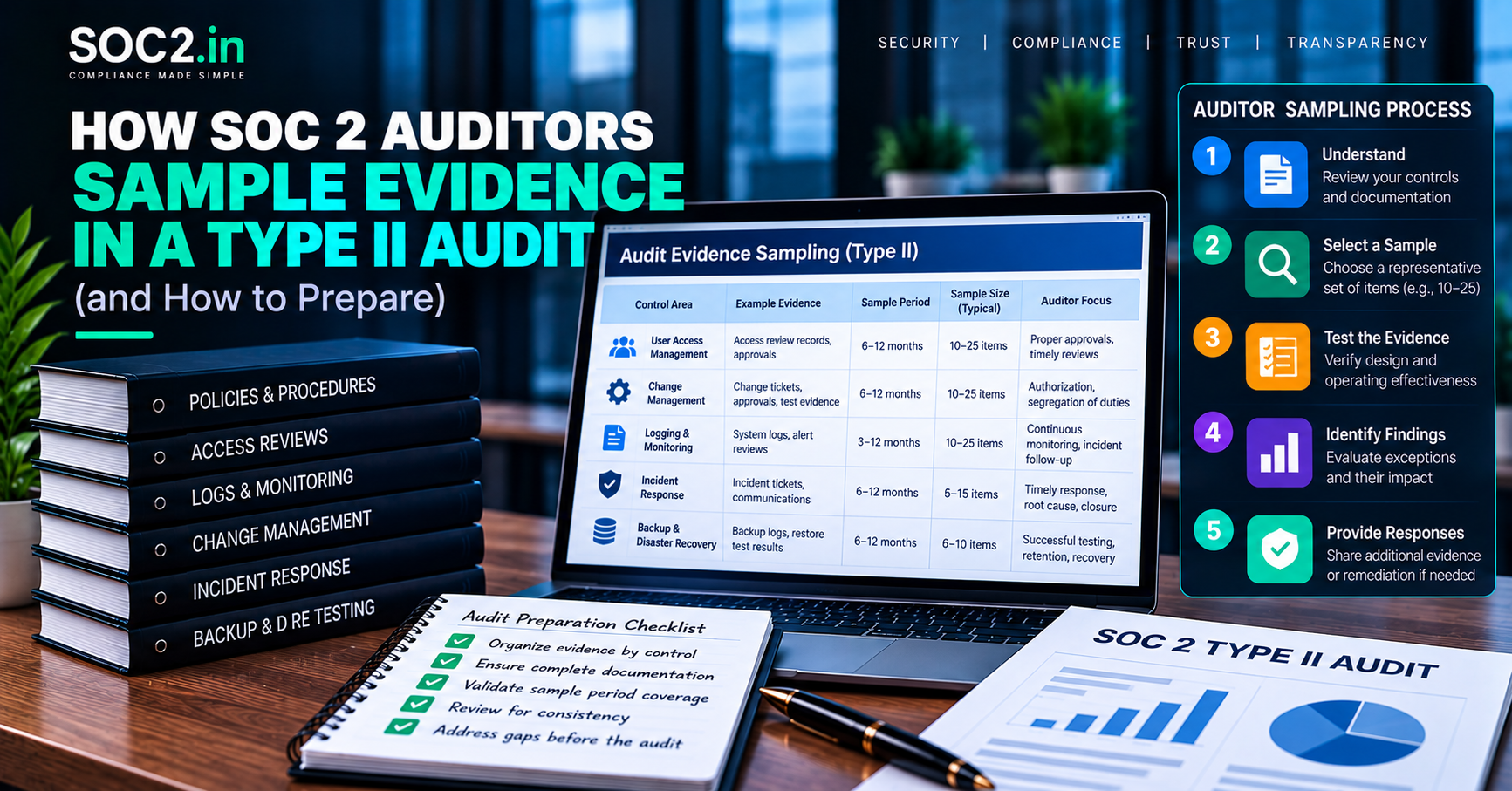
For a Type II report, the auditor typically asks for the population of reviews performed during the period, then picks samples. For each sample, they look for:
- A complete, system-generated user list from the date of review.
- Evidence of who performed the review and when.
- Evidence that the reviewer was independent of the access being reviewed.
- Documented decisions for questionable accounts.
- Tickets or logs proving that removals and changes were completed.
- Timeliness against your stated frequency.
Our guide on documentation required for a SOC 2 audit places this evidence in context, and what to expect during a SOC 2 Type II audit shows when samples are requested.
Joiners, movers and leavers
Periodic reviews are a safety net. The main controls happen day to day:
- Joiners. Access is requested through a ticket, approved by the owner and granted at the minimum level.
- Movers. When someone changes role, old access is removed as new access is added.
- Leavers. Access is revoked promptly after termination, tied to an HR trigger. Many companies set a target such as the same business day for critical systems.
If those day-to-day controls work, the review finds little. If it finds a lot, it points to a process problem worth fixing.
Special cases
Privileged and shared accounts
Review administrator and root accounts separately and more often. Avoid shared logins where possible, since they make attribution impossible. If you must use one, document the reason and control it.
Contractors and vendors
Treat third-party accounts like employee accounts, with an owner, an end date and a review. Contractors are a frequent source of leftover access.
Service accounts and API keys
Non-human identities also need review. They are easy to forget and often hold broad permissions. Our article on SOC 2 access controls for APIs and non-human identities covers them in depth.
Common mistakes
- Using an incomplete list. If the report omits a group or disabled accounts, the review proves nothing.
- Reviewing your own access. A reviewer must be independent of the access they approve.
- Rubber stamping. Approving everything in a few minutes with no changes, every time, raises auditor questions.
- No follow-through. A review that identifies a problem but has no removal ticket is an exception waiting to happen.
- Missing systems. Teams review the identity provider but forget the cloud console or the database.
- Late reviews. A quarterly review that slips by six weeks is a deviation from your stated control.
- Lost evidence. If the exports and approvals are scattered in chat threads, you will struggle to produce them at fieldwork.
Practical tips
- Put review dates in the calendar and create recurring tickets with owners.
- Use your identity provider as the source of truth and reduce the number of systems with local accounts.
- Automate exports where possible, but keep a human decision step.
- Record exceptions and compensating actions, such as an extra review of logs for a temporary admin.
- Test your process before the observation period starts. A SOC 2 gap analysis is a good moment.
Business implications
Access reviews take real time, but they are inexpensive compared with an exception or an incident involving a former user. They also give customers confidence that you control who can see their data. Teams that treat reviews as part of continuous compliance rather than an audit-season task avoid the scramble. If you want help designing the process or collecting evidence, SOC2.in’s SOC 2 readiness support covers access controls end to end.
Making access reviews faster without making them weaker
Teams often dread access reviews because they imagine a spreadsheet with thousands of rows. Some design choices reduce the effort while keeping the control meaningful.
- Review by risk. Review privileged and production access more often than low-risk business tools, and say so in policy.
- Send each reviewer only their slice. A manager should review their team, a system owner their system, not everything.
- Show last activity. Accounts with no recent use are easy removal candidates.
- Include non-human accounts. Service accounts, API keys and integrations need owners too. See access controls for APIs and non-human identities.
- Require a decision for every line. Keep, change or remove, with the reviewer’s name and date.
- Follow through. Attach evidence that each requested removal actually happened.
What strong evidence looks like
The auditor wants to see the population that was reviewed, who reviewed it, when, what decisions were made and proof that changes were completed. A screenshot of a list with no reviewer or date is weak. A ticket that holds the export, the sign-off and the closure is strong. Be careful that the export itself comes directly from the source system, a point explained in the way auditors sample evidence.
Frequently asked questions
How often should you do access reviews for SOC 2?
SOC 2 does not set a frequency. Quarterly for production and privileged access, and semiannual or annual for lower-risk systems, are common practices. Follow what your own control states.
Who should perform the SOC 2 access review?
The system owner or the user’s manager, someone who understands the access and is independent of the accounts being reviewed.
What evidence do auditors need for access reviews?
A dated system-generated user list, the reviewer’s decisions and sign-off, and tickets or logs showing that changes and removals were completed.
Do access reviews include service accounts?
They should. Non-human identities and API keys can hold broad permissions and are often overlooked.
What happens if an access review is missed?
The auditor records an exception for that sample. Repeated misses can contribute to a qualified opinion on related criteria.
Is an access review the same as offboarding?
No. Offboarding removes access when someone leaves. A review checks the whole population periodically and catches anything offboarding missed.
Conclusion
SOC 2 access reviews are a simple control that many teams fail through poor execution rather than poor design. Define the systems, choose a frequency you can keep, use complete system-generated lists, make independent decisions, follow through with tickets and keep tidy evidence. Do that every cycle and this stops being a source of exceptions.