Vulnerability management is where policy meets reality. Almost every security policy says “critical vulnerabilities will be patched promptly.” Auditors ask a simple follow-up: show me. They want the scan from March, the critical finding it listed, the ticket someone opened, the date it was fixed and the rescan that confirmed it. Teams that cannot produce that chain end up with exceptions, however good their engineers are.
This guide explains what SOC 2 actually requires, how to design a process an auditor can test, which timelines are reasonable to commit to, how to treat exceptions and what evidence to collect. It focuses on running the process day to day. If you are specifically interested in penetration testing, our article on why a pentest is crucial for SOC 2 covers that separately.
What the criteria say
The Trust Services Criteria are published by the AICPA and summarized on the AICPA SOC suite page. Vulnerability management touches several criteria:
| Criterion | Focus | How it shows up |
|---|---|---|
| CC3.2 | Risk identification and analysis | Vulnerabilities feed your risk register |
| CC7.1 | Detection and monitoring of new vulnerabilities and configuration changes | Scheduled scanning, configuration monitoring, threat intelligence |
| CC7.2 | Monitoring for anomalies and security events | Alerts that complement scanning |
| CC7.3 and CC7.4 | Evaluating and responding to events and incidents | Triage and remediation of significant findings |
| CC8.1 | Change management | Patches are changes and follow your change process |
| CC4.1 | Ongoing and separate evaluations | Independent testing such as pentests supports this |
Notice what is missing: no tool names, no mandatory scan frequency and no fixed number of days to patch. Those details are yours to define. The auditor tests whether your design is suitable for your system and whether it operated as designed. For the wider framework, see the five Trust Services Criteria.
Designing a process an auditor can test
1. Define the asset scope
You cannot scan what you have not listed. Maintain an inventory of in-scope servers, containers, images, cloud accounts, endpoints, network devices and applications. Tie it to your system description so the scanned population matches the audited system.
2. Choose scan types that fit your stack
| Scan type | What it finds | Typical use |
|---|---|---|
| Infrastructure and host scanning | Missing OS patches, insecure services, weak configurations | Servers, VMs, network devices |
| Container and image scanning | Vulnerable packages in images and registries | Kubernetes and container pipelines |
| Dependency (SCA) scanning | Known vulnerabilities in third-party libraries | Source repositories and builds |
| Static and dynamic application testing | Code-level and runtime weaknesses | Secure development lifecycle |
| Cloud configuration monitoring | Misconfigurations such as public storage or open ports | AWS, Azure, GCP accounts |
| Endpoint compliance checks | Unpatched operating systems and apps on laptops | Device management reports |
Pick the combination that covers your real attack surface. A small SaaS company on managed cloud services may rely on cloud configuration monitoring, dependency scanning and endpoint reports rather than traditional network scanners. Our guide to secure SDLC for SOC 2 shows how code scanning fits in.
3. Set scan frequency
SOC 2 does not fix it, so tie frequency to risk: continuous or automated scanning for internet-facing and high-change systems, at least monthly or quarterly for others, and on every build for dependencies. Whatever you write in policy is what the auditor tests, so never promise weekly scans you do not run.
4. Define severity and remediation timelines
Adopt a recognised severity approach, such as CVSS scores from NIST’s National Vulnerability Database, adjusted for exploitability and asset importance. Then commit to timelines you can meet. The table below is an example only; adapt it to your risk and resources.
| Severity | Example target for remediation or mitigation |
|---|---|
| Critical | Days, with emergency handling if actively exploited |
| High | Short number of weeks |
| Medium | Next planned maintenance cycle |
| Low | Tracked and fixed as capacity allows |
Specific day counts vary widely between organisations and customer contracts, and many customers state their own expectations. Choose numbers you can consistently achieve, because missing your own deadline is what creates exceptions, not choosing a longer one.
5. Track every finding to closure
Each material finding needs a ticket with severity, affected asset, owner, due date, status and closure evidence. Automating ticket creation from scanners reduces forgotten items. Use your change process for patches. Our guide on continuous controls monitoring explains how automation can keep these records current.
6. Rescan to confirm
Closure means the vulnerability no longer appears. Keep the rescan result or verification note with the ticket. Without it, an auditor may treat the item as unverified.
7. Handle exceptions deliberately
Some vulnerabilities cannot be fixed on time: a vendor patch is unavailable, a fix breaks production, or the asset is being retired. Document a risk acceptance with a reason, compensating controls (isolation, access restriction, monitoring), an owner, an approver and a review date. A well-documented exception is acceptable evidence. An unexplained overdue critical is not.
Evidence auditors typically request
- Vulnerability management policy with approval and version history.
- Asset inventory or scan target lists showing coverage.
- Scan configuration and schedule screenshots.
- Scan reports across the observation period, not only one.
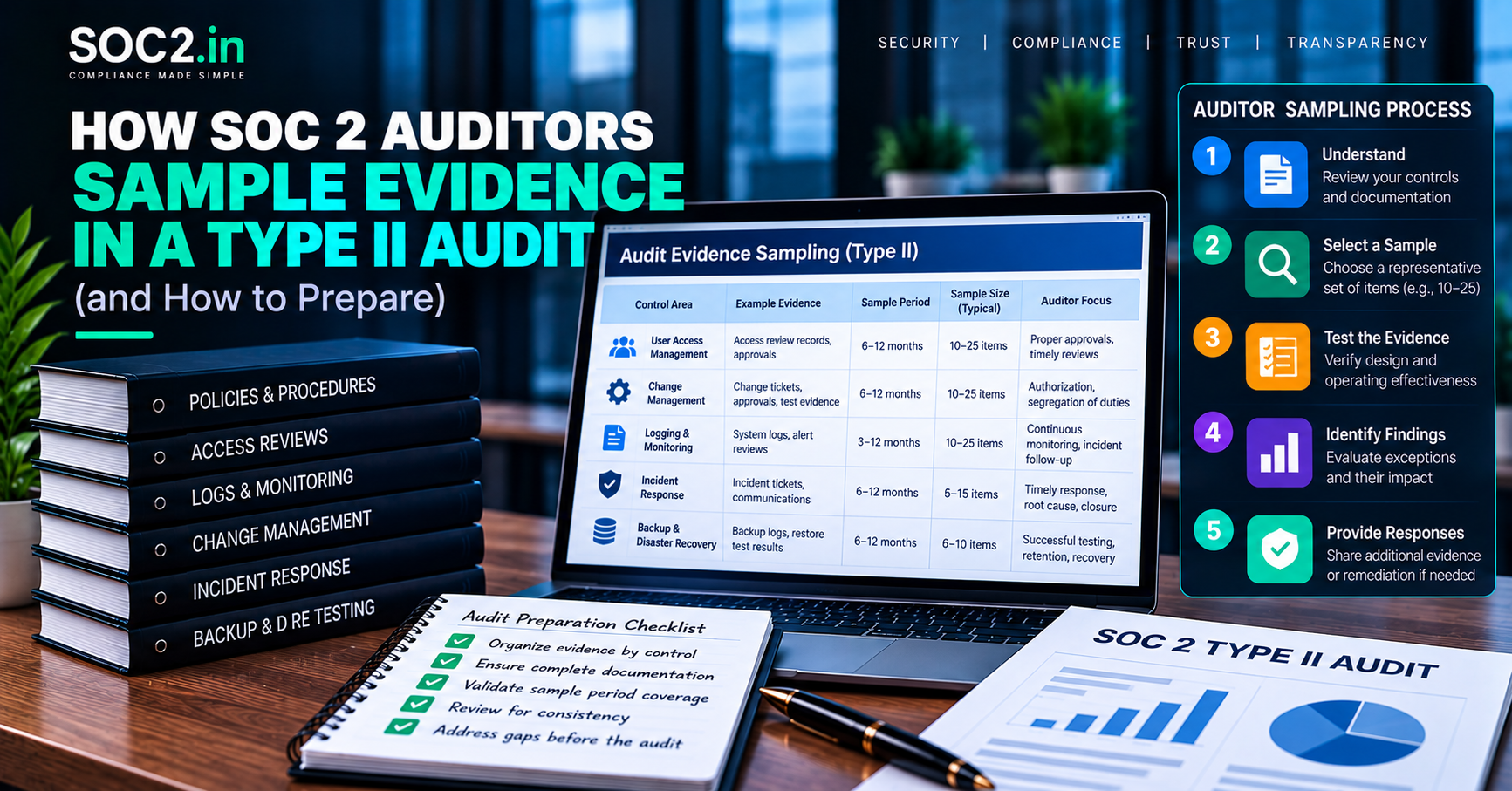
- A population of findings with severity and dates, from which the auditor samples.
- Tickets, patch or change records and rescan results for sampled items.
- Risk acceptance records for overdue or deferred findings.
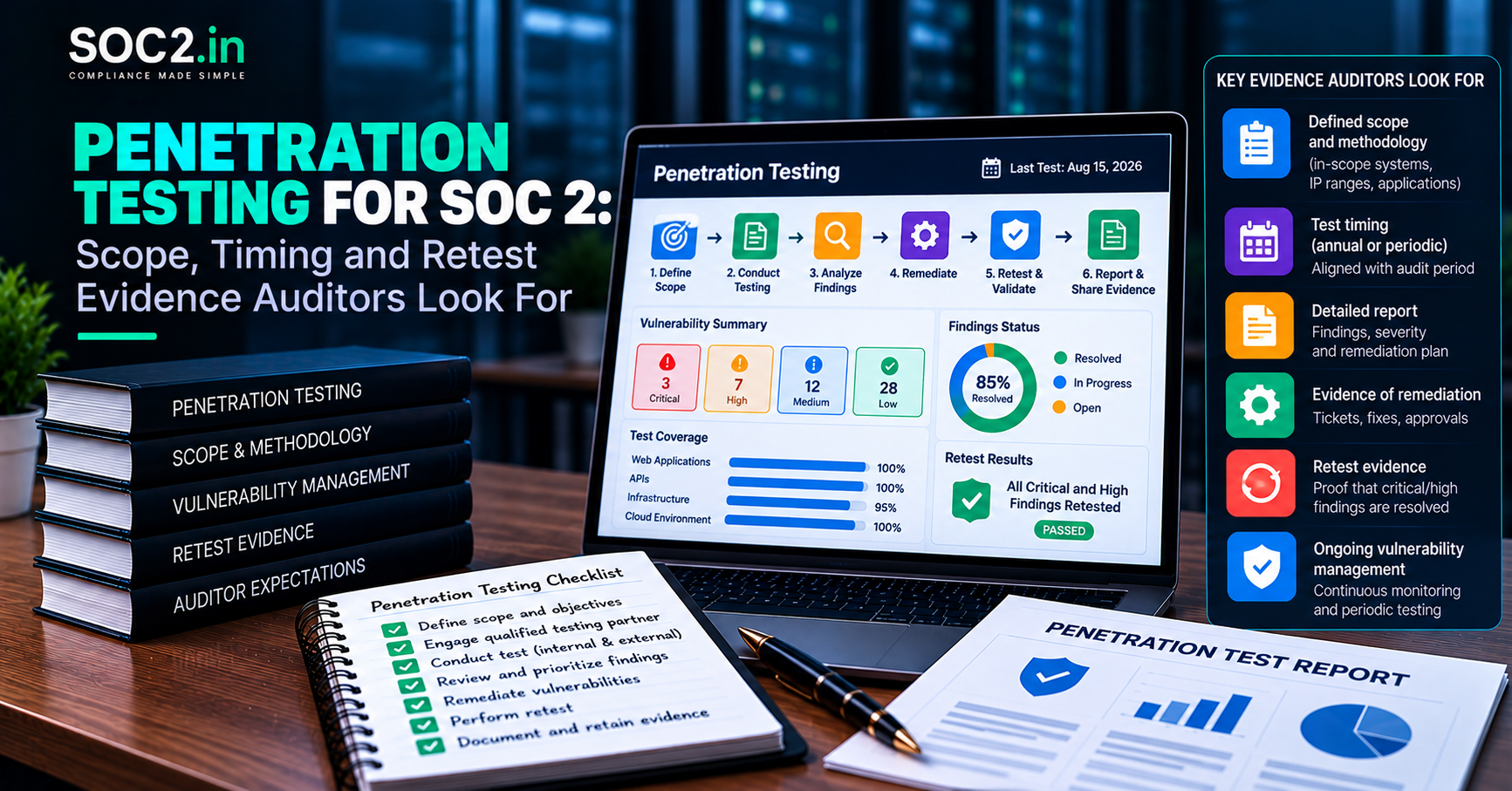
- Penetration test report and remediation tracking, if part of your design.
- Management review notes showing leadership sees vulnerability metrics.
Because Type II examinations test operating effectiveness over a period, a scan report from only the first or last month leaves gaps. Keep a regular cadence and store dated outputs. The mechanics of how auditors pick items from your population are explained in our overview of SOC 2 documentation requirements.
Common mistakes that lead to exceptions
- Scanning the wrong population. Production is scanned but a forgotten staging or legacy server in scope is not.
- Authenticated scanning missing. Unauthenticated scans miss most missing patches, giving false comfort.
- Findings with no ticket. Reports exist, but nobody can show an owner or due date.
- Overdue items without risk acceptance. The deadline passes silently.
- Treating a pentest as the whole program. A once-a-year test does not replace continuous detection.
- Ignoring endpoints. Laptops run unpatched operating systems because nobody checks compliance reports.
- Policy and practice mismatch. The policy promises monthly scans, but the tool was run quarterly. See common SOC 2 audit mistakes for similar patterns.
- Noise overload. Thousands of low-value findings bury the few that matter. Prioritise by exploitability and exposure.
A lightweight monthly routine for small teams
- Review scanner and cloud configuration reports; confirm scans ran on all in-scope targets.
- Triage new critical and high findings within a couple of working days and create tickets.
- Check overdue items; fix, reschedule with approval or record a risk acceptance.
- Verify closed items with rescans or version checks.
- Review endpoint patch compliance from device management.
- Save dated summaries and update a simple metrics sheet: open by severity, average age, overdue count.
- Report the numbers in your monthly or quarterly security review.
This routine takes a few hours and produces precisely the evidence an auditor asks for. It is also the habit that keeps you ready year-round, which we discuss in continuous compliance.
What this means for your business
Enterprise customers often include patching and scanning expectations in security questionnaires and contracts. A documented, evidenced vulnerability program lets you answer confidently and keeps your SOC 2 examination smooth. It also reduces real risk, since most breaches exploit known weaknesses.
Our SOC 2 readiness service reviews scanning coverage, timelines and evidence before your examination. If you need a pentest alongside readiness, see the SOC 2 and pentest bundle. For ongoing help keeping tickets and reports tidy, 24×7 GRC chat and Slack support is available. The SOC 2 report itself is issued by an independent CPA firm, and readiness consulting does not replace it.
Frequently asked questions
Does SOC 2 require vulnerability scanning?
The criteria require you to detect and respond to vulnerabilities, and scanning is the standard way to do that. SOC 2 does not name a tool or frequency, so you define them and prove you follow them.
How quickly must we patch critical vulnerabilities for SOC 2?
There is no SOC 2 deadline. You set remediation timelines in your policy, based on risk, and the auditor tests whether you met them. Customer contracts may add their own expectations.
Is a penetration test a substitute for vulnerability scanning?
No. Scanning provides regular, broad detection. A pentest provides deeper, periodic, human-driven testing. Most programs use both.
What if we cannot fix a vulnerability in time?
Document a risk acceptance with compensating controls, an approver and a review date. Auditors generally accept documented, reasoned exceptions more readily than undocumented delays.
Do cloud-managed services need scanning?
The provider patches the underlying infrastructure of managed services, but you remain responsible for configuration, your code, your dependencies and any virtual machines or containers you run. Cloud configuration monitoring is usually the right control.
How long should scan reports be kept?
SOC 2 sets no retention period. Keep at least the observation period plus the time your auditor needs to test, and follow any longer retention in your contracts or policy.
Do we have to fix every low-severity finding?
No. Define in policy how low-severity items are tracked and handled. Prioritise by risk and keep a clear record.
Conclusion
A SOC 2 vulnerability management program is not about owning a particular scanner. It is about a repeatable loop: know your assets, scan them on a schedule, rate what you find, fix or formally accept it within defined timelines, verify the result and keep dated proof. Build that loop into your monthly routine and CC7.1 stops being a source of stress and becomes a strength.